Best AI Video Editing Laptops Under Rs. 60,000: Finding a good laptop for video editing on a budget can feel overwhelming, especially when modern editing software now depends heavily on AI-powered tools. Features like automatic subtitles, noise reduction, background removal, smart scene detection, and AI-based video enhancements demand stronger hardware than basic laptops can offer.
If you are a content creator, YouTuber, student editor, or freelance video professional working within a ₹60,000 budget, choosing the right machine becomes extremely important.
The good news is that several laptops in this price range now offer impressive performance for AI-assisted video editing. The key is to focus on practical performance rather than flashy designs. Good RAM, reliable processors, fast SSD storage, and dedicated graphics can make a huge difference in editing speed and overall workflow comfort.

Best AI Video Editing Laptops Under Rs. 60,000
| Laptop Model | Processor | Graphics Card | RAM | Storage | Display | Best For |
|---|---|---|---|---|---|---|
| Lenovo IdeaPad Slim 3 Next Gen AI PC | Qualcomm Snapdragon X | Dedicated NPU for AI Tasks | 16GB LPDDR5X | 512GB SSD | 15.3-inch WUXGA | AI-powered editing, battery efficiency |
| HP Victus 15 | AMD Ryzen 5 Hexa-Core | NVIDIA GeForce RTX 3050 (4GB) | 16GB DDR5 | 512GB SSD | 15.6-inch 144Hz Display | Heavy video editing, rendering, AI acceleration |
| Acer SmartChoice ALG | Intel Core i5 H-Series | NVIDIA GeForce RTX 3050 | 16GB RAM | 512GB SSD | Full HD Display | Budget content creators, stable editing performance |
Lenovo IdeaPad Slim 3 Next Gen AI PC
The Lenovo IdeaPad Slim 3 Next Gen AI PC stands out as a smart option for users who want modern AI-focused performance with better efficiency.
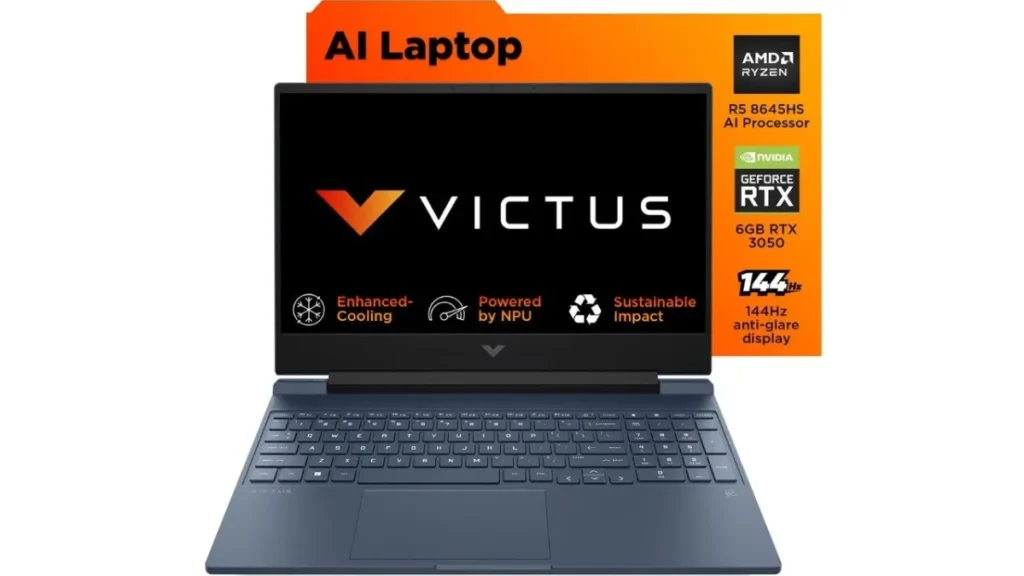
Powered by Qualcomm Snapdragon X architecture, this laptop includes a dedicated Neural Processing Unit that helps handle AI-based tasks more effectively without putting excessive load on the main processor.

Its 15.3-inch WUXGA display gives editors enough screen space for timeline management and detailed work. With 16GB LPDDR5X RAM and a fast 512GB SSD, this machine can comfortably handle AI-enhanced editing workflows while maintaining smooth performance and good battery life.
HP Victus 15 for Serious Editing Performance
For users who need stronger graphics performance for demanding editing tasks, the HP Victus 15 looks like an excellent choice in this price category. It combines an AMD Ryzen 5 processor with the NVIDIA GeForce RTX 3050 graphics card, making it much more capable for rendering, AI effects, and accelerated export workflows.
The RTX 3050’s Tensor Core support helps with modern AI-based editing features, while the 16GB DDR5 RAM ensures smoother multitasking with editing software. The 144Hz display also improves the overall experience when working with longer video timelines and fast content previews.

Acer SmartChoice ALG for Budget Creators
The Acer SmartChoice ALG is a practical option for creators who want dedicated graphics power without stretching their budget too far. It features an Intel Core i5 H-series processor paired with the NVIDIA GeForce RTX 3050, offering dependable performance for hardware-accelerated editing and video exports.
Its dual-fan cooling system helps maintain stable performance during longer editing sessions, which is especially useful for creators working on larger projects. While portability may not be its strongest feature, it performs well as a dependable editing-focused machine.
Why 16GB RAM Matters for AI Video Editing
Modern AI video editing software consumes significantly more memory than traditional editing tools. Features like smart cutouts, automatic transcription, noise cleanup, and background effects can quickly push system memory usage higher than expected.
That is why starting with at least 16GB RAM is a much safer choice for creators. A laptop with only 8GB memory may struggle badly under heavier workloads, causing lag, app crashes, and frustrating performance issues that slow productivity.

Display Quality Is More Important Than Many Buyers Think
A laptop may offer powerful hardware, but poor display quality can ruin the editing experience. Budget laptops often reduce cost by using low-quality panels with weaker color accuracy, which creates problems for creators working on serious video content.
If accurate color grading matters to your workflow, using an external monitor later can be a smart investment. A display with better color reproduction helps ensure that the final exported video looks consistent across different platforms and devices.
Which Laptop Should You Choose?
If battery efficiency and AI-focused performance are your top priorities, the Lenovo IdeaPad Slim 3 offers a balanced and modern option. For users focused on stronger rendering power, GPU acceleration, and demanding editing workloads, the HP Victus 15 clearly delivers more raw performance.

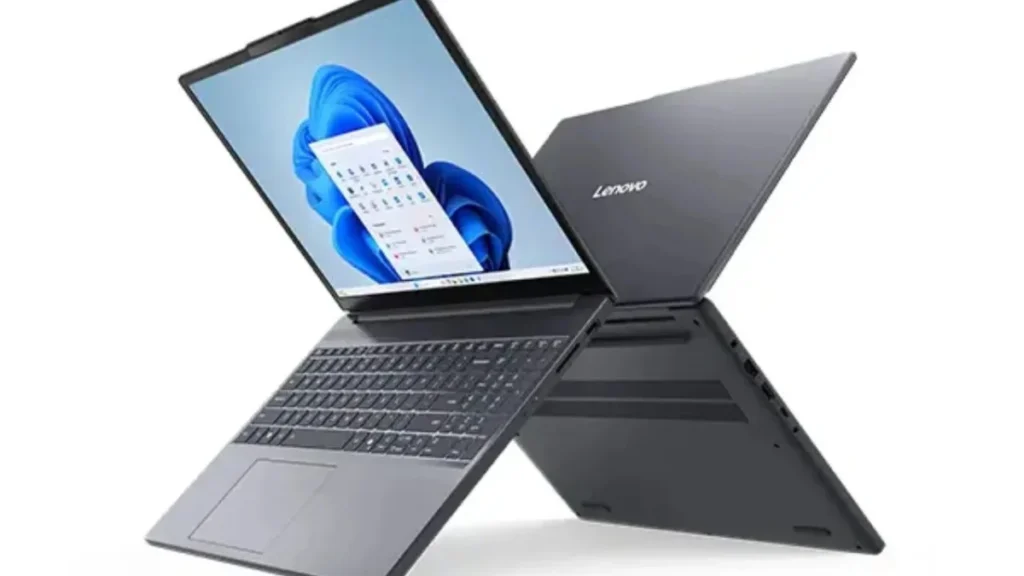
The Acer SmartChoice ALG remains a solid middle-ground choice for budget-conscious creators who still want dedicated graphics support. Your final decision should depend on whether portability, performance, or long-session editing stability matters most to your workflow.
Also read:
Jio Airtel IPL 2026 Streaming Plans Compared: Best Recharge Packs For Cricket Fans

Flipkart Sale Offers: Best 5G Smartphones Under Rs. 10000 With Massive Limited Time Discounts